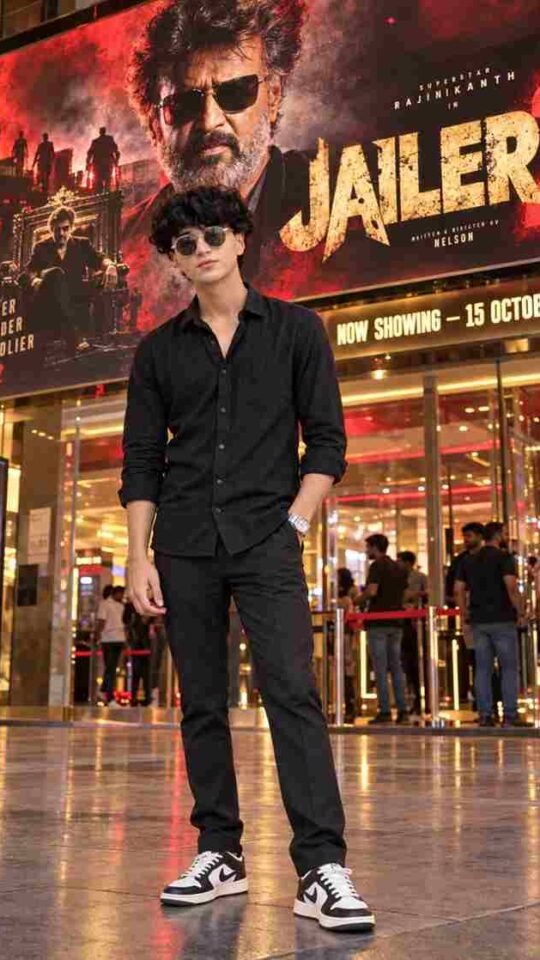
Mirzapur Style Movie Poster
November 3, 2026
Recreate a Mirzapur style web series poster with your own face. A bold, cinematic AI photo editing prompt for boys.
📋 AI Prompt
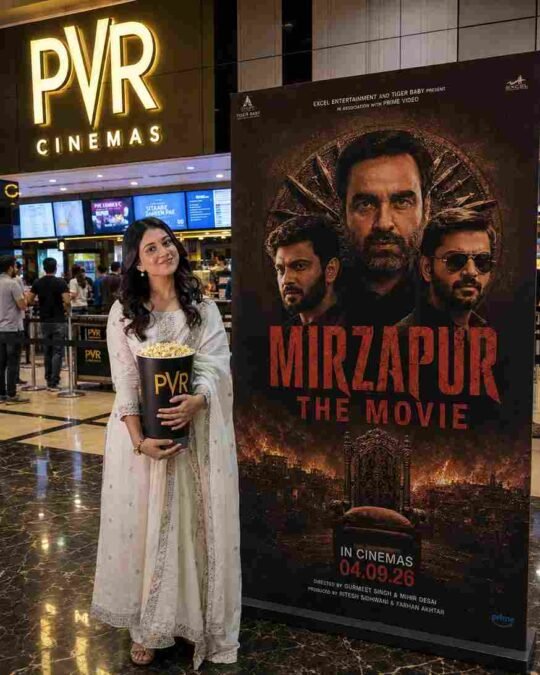
Use the uploaded image as the main reference. Recreate the scene as an ultra-realistic vertical 4:5 photograph while preserving the girl from the uploaded image exactly — same face, facial features, hairstyle, skin tone, expression, body shape, height, pose, clothing, shoes, hand position, and overall appearance. Do not change, beautify, feminize, or redesign her appearance.
Place the girl naturally inside a modern PVR Cinemas movie theatre lobby in India, standing on the left side and holding a large black PVR popcorn bucket filled with popcorn. Keep the same full-body composition, camera angle, proportions, pose, and natural perspective as the reference.
On the right side, add a large realistic freestanding promotional movie poster for “MIRZAPUR THE MOVIE”, featuring a dark brown/black cinematic crime-thriller design, three intense male characters, an ornate circular background, dramatic fiery city imagery, and a throne at the bottom. Add the large distressed red title “MIRZAPUR THE MOVIE” along with realistic movie-poster typography and details, including “IN CINEMAS 04.09.26”.
Keep the illuminated PVR CINEMAS sign, cinema ticket counters, digital screens, people in the background, polished reflective marble floor, ceiling lights, and overall theatre environment realistic and naturally integrated.
Photorealistic DSLR photography, realistic skin and hair texture, natural fabric texture, natural indoor lighting, cinematic warm tones, realistic shadows and reflections, authentic perspective, subtle depth of field, high detail, professional photography, realistic lens characteristics, no CGI, no cartoon effect, no artificial beauty filter, no face alteration.
Strict identity preservation: the girl must remain exactly recognizable as the person in the uploaded image. Do not modify her face, facial structure, hairstyle, skin tone, body proportions, clothing, shoes, pose, or expression.
How to Use
- Tap Copy Prompt to copy the full prompt
- Open Google Gemini or ChatGPT and upload a clear photo of yourself
- Paste the prompt and send it to generate your image
- Not perfect? Regenerate or change colours, outfit or background words
✦ Free App · Prompt Saar
Prompt Saar – AI Photo Editing Prompts
Discover 1000+ creative AI photo editing prompts.
- Free to download
- Copy in one tap
- Gemini & ChatGPT