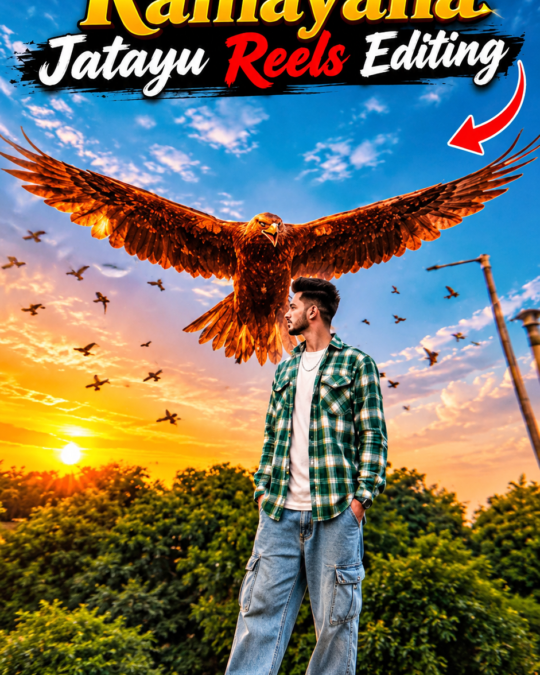
Ramayana Jatayu Viral Reels Editing 🦅🔥 | Trending AI Video Editing Tutorial
November 14, 2026
📋 AI Prompt
✦ AI PROMPTUse @video1 as the strict reference for all actions, gestures, timing, camera movements, framing, editing, the giant eagle, the flying birds, and all visual effects. Replace the man in @video1 with the character from @image1, preserving his complete character design—face, hair, beard, skin tone, body proportions, clothing, and distinctive details—with his face clearly visible and identical to @image1 from the first frame to the last, without blending or morphing with the original man. Maintain the giant reddish-brown eagle exactly as seen in @video1, keeping its massive scale, glowing golden-brown feathers, slow powerful wingbeats, and the exact timing as it rises behind him with wings spread wide, along with the flock of small birds flying around. Preserve the original environment and cinematography, including the sky, clouds, dry bushes, lamp posts, warm golden color grade, low camera angle, duration, and aspect ratio, changing only the man’s appearance. Keep the sky and entire frame completely clean and free of any text, titles, captions, or overlays. Negative Prompt: text, letters, words, titles, captions, subtitles, original man’s face, identity swap, face morphing, appearance drift, altered actions, smaller eagle, missing eagle, extra characters, distorted faces, extra limbs, distorted wings, flickering, new scenes, logos, watermarks.

How to Use
- Tap Copy Prompt to copy the full prompt
- Open Google Gemini or ChatGPT and upload a clear photo of yourself
- Paste the prompt and send it to generate your image
- Not perfect? Regenerate or change colours, outfit or background words